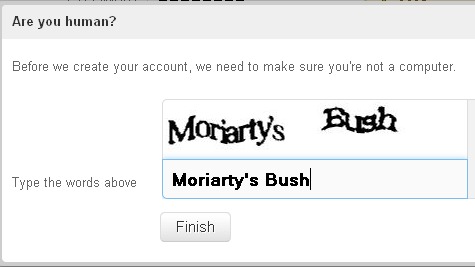
The Federal Trade Commission is alerting consumers to a new scam that disguises malware installation as a routine CAPTCHA verification. Instead of asking users to identify traffic lights or crosswalks, the fake CAPTCHA box instructs them to press a specific keyboard sequence that silently pastes and runs malicious code. The tactic exploits a basic assumption most internet users share: that CAPTCHA prompts are safe, mechanical steps to prove they are human.
How fake CAPTCHAs trick users into running malware
The attack follows a precise script. A pop-up styled to look like a standard CAPTCHA box appears on a webpage and tells the user to “verify” by pressing three keyboard shortcuts in order: Windows + R, then Ctrl + V, then Enter. That combination opens the Windows Run dialog, pastes a command already loaded onto the clipboard by the malicious page, and executes it. The result is that malware runs on the victim’s computer without the user ever downloading a file or clicking a suspicious attachment. The FTC’s English-language consumer alert describes this exact sequence and confirms that running it pastes and executes malicious code.
What makes the trick effective is how ordinary it feels. Real CAPTCHAs train people to follow instructions without thinking twice. Clicking a checkbox, dragging a slider, or typing distorted letters are all reflexive actions at this point. The fake version grafts itself onto that trained behavior. A user who has completed hundreds of legitimate CAPTCHAs has little reason to question one more prompt, especially if it appears on a site they already trust.
That trust factor raises a specific concern. Sites hosting user-generated content, such as forums, comment sections, or community wikis, carry stronger reputational signals than a freshly registered phishing domain. Browsers and security tools are more likely to flag a brand-new URL than an established platform. If attackers inject the fake CAPTCHA into pages on recognized domains, they inherit the credibility those domains have built over years. The FTC guidance notes that the tactic has appeared on “legitimate-looking sites,” which suggests the scam is not confined to obvious dark corners of the web.
What the FTC says to do after exposure
The agency’s guidance is direct. Anyone who followed the keyboard prompts should immediately run a full malware scan on their device and change passwords for sensitive accounts, starting with email and banking. Security experts generally recommend using a reputable antivirus or endpoint protection tool for this scan and ensuring its signatures are up to date.
The FTC also urges victims to share details of the incident with federal investigators. Using the agency’s online portal at ReportFraud.ftc.gov, consumers can describe when and where they encountered the fake CAPTCHA, what instructions they followed, and whether they noticed any unusual behavior on their devices afterward. These reports help authorities identify clusters of activity, trace infrastructure used by attackers, and warn additional potential victims.
For Spanish-speaking consumers, the FTC maintains parallel guidance on its dedicated site for información al consumidor, including fraud and cybersecurity advice. This ensures that people who are more comfortable reading in Spanish receive the same practical steps on how to respond and how to report what happened.
A legitimate CAPTCHA will never ask a user to open the Run dialog or paste anything from the clipboard. That distinction is the simplest filter available. If a verification prompt asks for any keyboard shortcut beyond basic typing or mouse clicks, closing the browser tab is the safest response. Disabling clipboard access for untrusted sites, when browser settings allow it, adds another layer of defense and can block the scam’s core mechanism of preloading malicious commands.
The scam also only works on Windows machines, because the Run dialog is a Windows-specific feature. Mac and Linux users would not trigger the same execution chain from those keystrokes. But that limitation does not shrink the target pool by much, given the size of the global Windows user base and the fact that many workplaces, schools, and home users rely on Windows systems daily.
Gaps in the public record on CAPTCHA-based attacks
The FTC’s alert confirms the mechanism and offers clear, practical advice, but it leaves several questions unanswered. It does not specify how many incidents have been reported, how long attackers have been using this method, or whether particular industries or regions are being targeted more heavily. Without that data, it is difficult for security professionals to gauge whether this is a niche tactic or part of a broader shift toward social engineering that weaponizes familiar interface elements.
There is also limited public information on how fake CAPTCHAs are being delivered in the first place. In some cases, attackers may compromise legitimate websites and inject malicious scripts into pages that already receive significant traffic. In others, they may rely on malicious ads or pop-unders that mimic the look of a site’s own verification system. The FTC’s description of “legitimate-looking sites” suggests both compromised pages and convincing impostors may be in play, but the alert does not break down those technical details.
Another open question is how widely browsers and security tools can detect and block this pattern. Because the scam relies on user interaction rather than an automatic download, it may not trigger conventional malware filters until after the harmful command runs. That places more weight on user education and on website operators, who can audit their pages for unauthorized scripts, enforce strict content security policies, and monitor for unusual pop-up behavior.
For now, the most effective defense is skepticism toward any CAPTCHA that asks for keyboard shortcuts, combined with prompt reporting to the FTC when something seems off. As more consumers recognize the pattern and share their experiences, regulators and security researchers will have a stronger foundation to measure the threat and push for technical countermeasures that make this kind of attack harder to pull off.